 Ryan Malloy
bf72e784d3
Ryan Malloy
bf72e784d3
- README.md for all three packages (core, TUI, MCP)
- pyproject.toml readme field for PyPI rendering
- 8 new tests for MCP resources (5) and prompts (3)
- Total MCP test coverage: 57 tests, 37 tools + 5 resources + 3 prompts
1.9 KiB
1.9 KiB
birdcage-tui
Terminal UI for controlling Winegard satellite dishes. Built on Textual with six screens covering everything from manual pointing to live satellite tracking.
Try it without hardware:
uvx birdcage-tui --demo
Install
pip install birdcage-tui

# With camera capture support (JPEG annotation, FITS export)
pip install birdcage-tui[camera]
Screens
| Key | Screen | What it does |
|---|---|---|
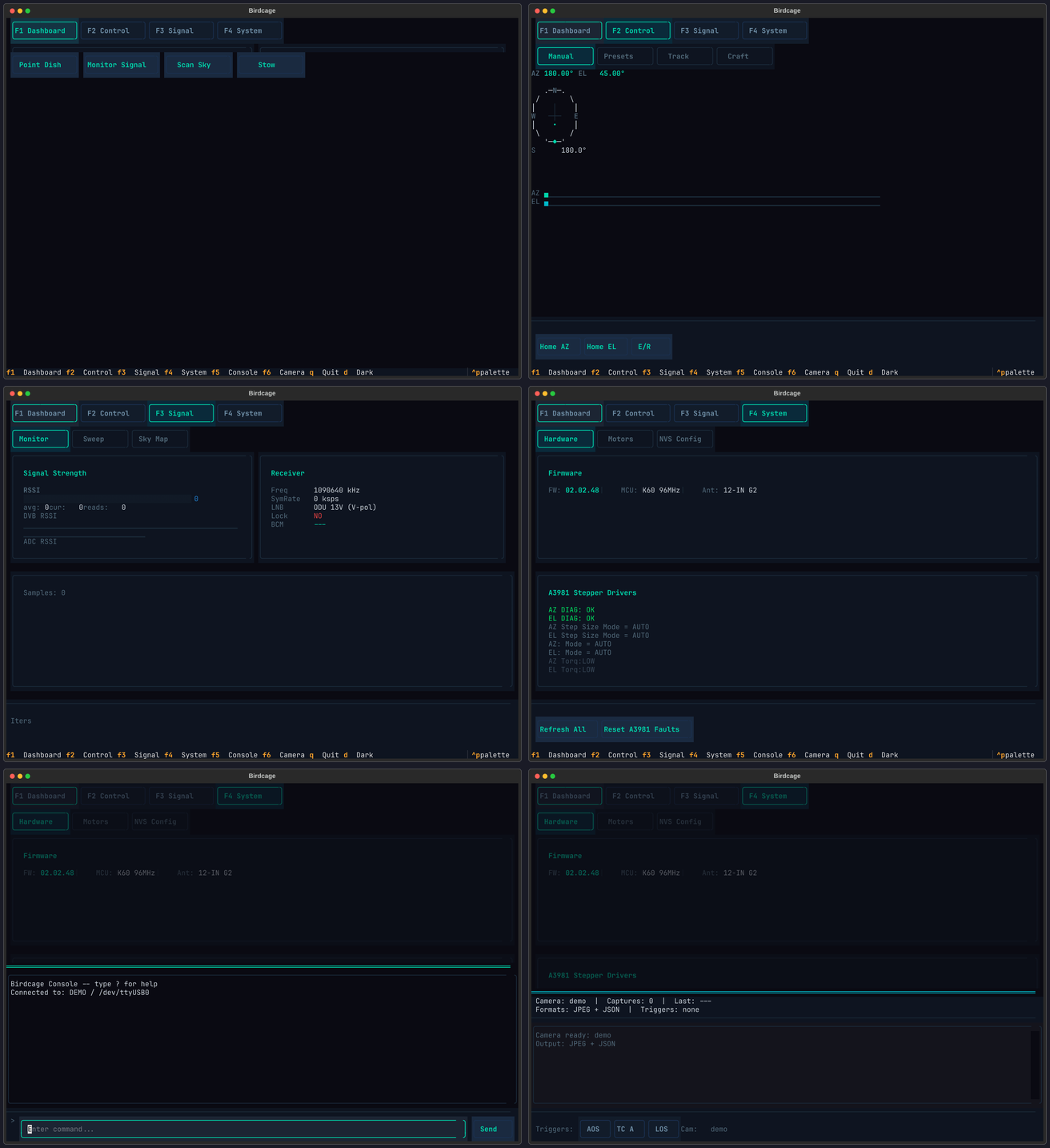
| F1 | Dashboard | Live AZ/EL readout, compass rose, motor status, signal gauge |
| F2 | Control | Manual jog, satellite presets, Track mode (rotctld), Craft mode (live TLE) |
| F3 | Signal | RSSI bargraph, azimuth sweep plot, sky heatmap |
| F4 | System | NVS editor, firmware ID, motor dynamics, PID tuning, A3981 diagnostics |
| F5 | Console | Raw serial terminal to the dish firmware |
| F6 | Camera | Capture overlay with multi-trigger pipeline (requires camera extra) |
The collage below shows all six screens. On PyPI this image may not render -- see the TUI guide for full screenshots.
Usage
# Demo mode (no dish required)
birdcage-tui --demo

# Connect to hardware
birdcage-tui --port /dev/ttyUSB0 --firmware hal205

# Carryout G2 at 115200 baud
birdcage-tui --port /dev/ttyUSB2 --firmware g2 --baud 115200
Documentation
Detailed screen walkthroughs and configuration: birdcage.warehack.ing/guides/tui
Credits
- Gabe Emerson (KL1FI / saveitforparts) -- original Winegard rotor scripts
- Chris Davidson (cdavidson0522) -- Carryout G2 sky scan and rotator control
License
MIT